
Two-way Shopify integration for delivery route planning
Send Shopify orders straight to Routific, plan optimized routes, and sync delivered status back to your store automatically.

Our Shopify orders go straight into Routific, so there's no copying addresses or juggling spreadsheets. Routific plans our routes in minutes, our drivers know exactly where they're going, and our customers know when dinner's arriving.
Being able to pull Shopify orders straight into route planning saves us a lot of time. We bring in just the local deliveries, see where everything lands on the map, and build our routes through the week.
See it in 30 seconds
Send orders to Routific from Shopify
Copying orders out of Shopify eats up your morning. Now you select your orders and choose Send to Routific. That's it.
How to install the Shopify app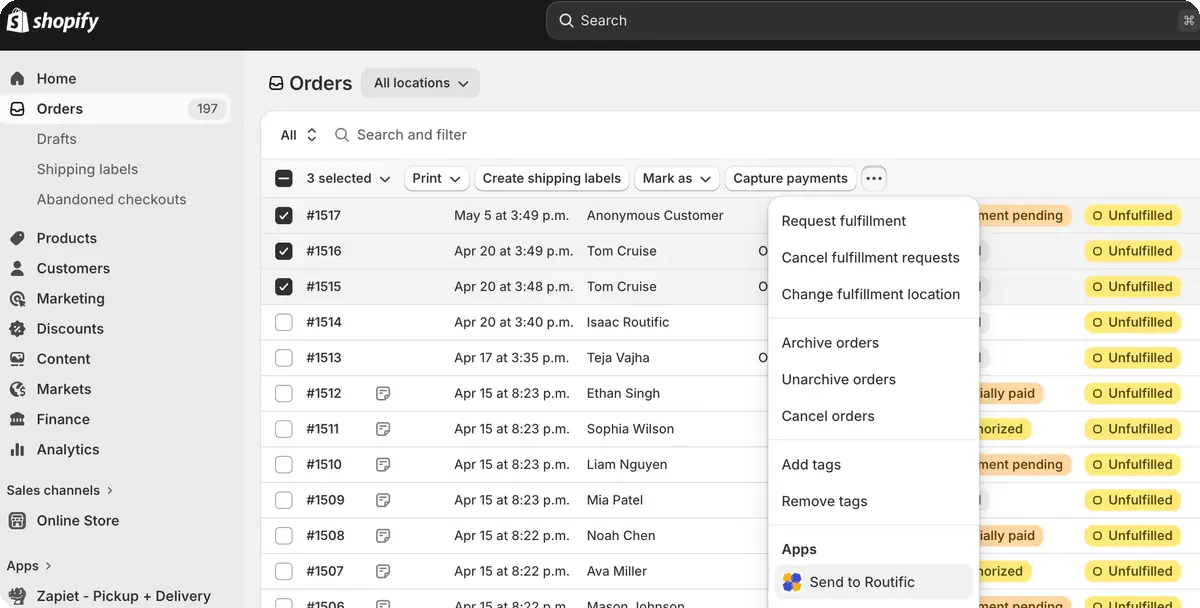
Or pull them in from Routific
Already on Routific? Connect your store from Company Settings, then choose Add orders from Shopify. Filter by tag, fulfillment status, payment or delivery method, and bring in just the orders you want to route.
How to connect from Routific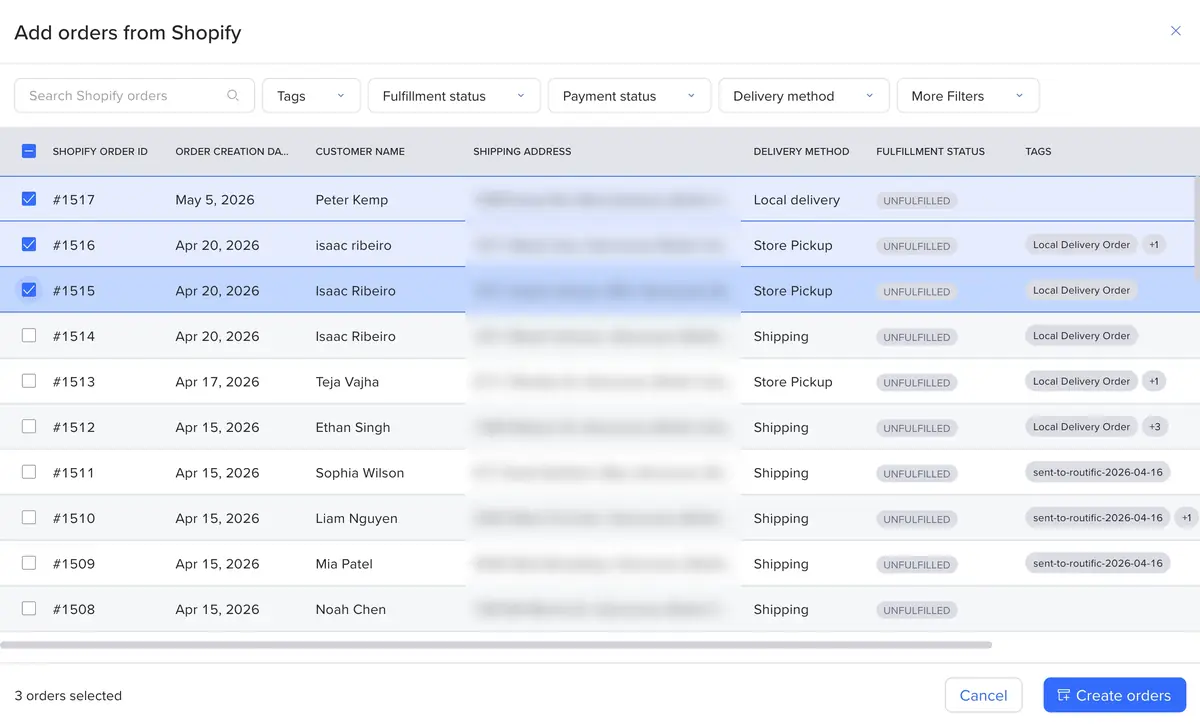
Our Shopify store connects directly, so all our local delivery orders come straight into our route planner. It saves us so much time. We love that our systems talk to each other without any effort on our end.
Mapped to match how your store works
Names, addresses, phone numbers, and delivery notes come across automatically. Choose which Shopify fields fill each Routific field, including delivery dates and time windows.
Read the setup guide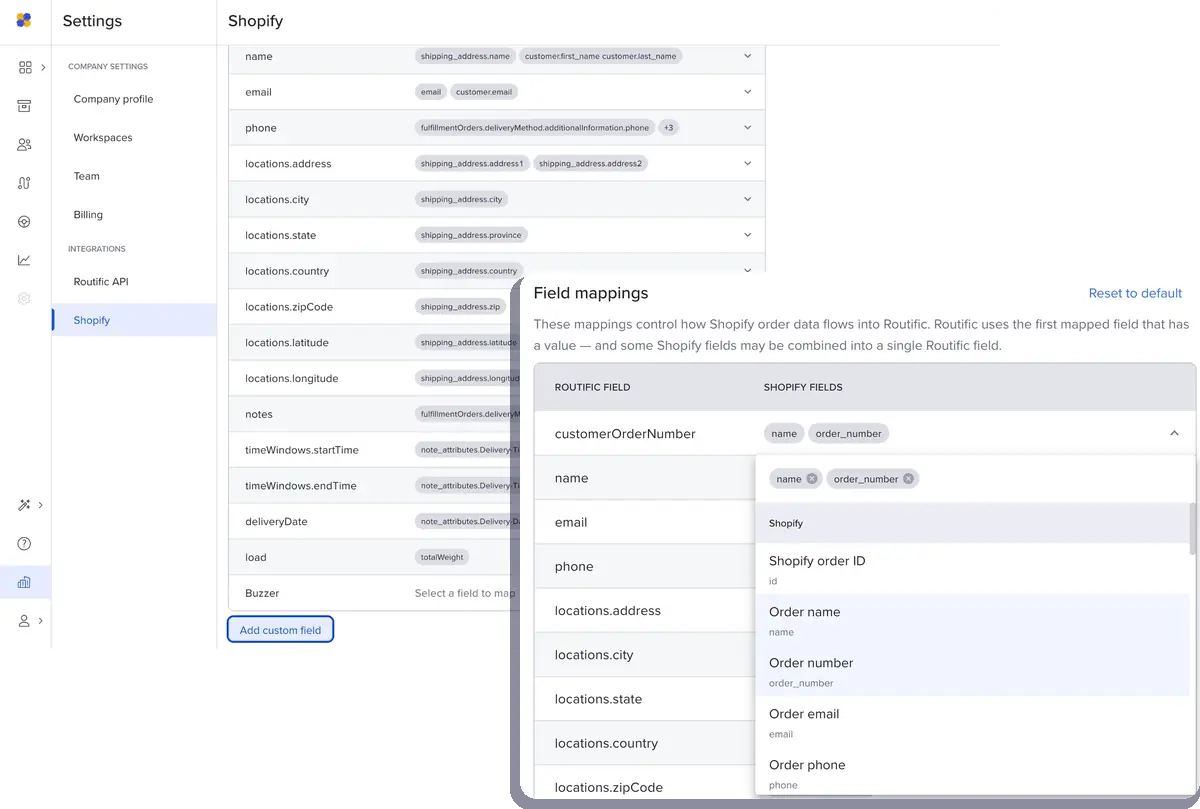
Delivered status syncs back to Shopify
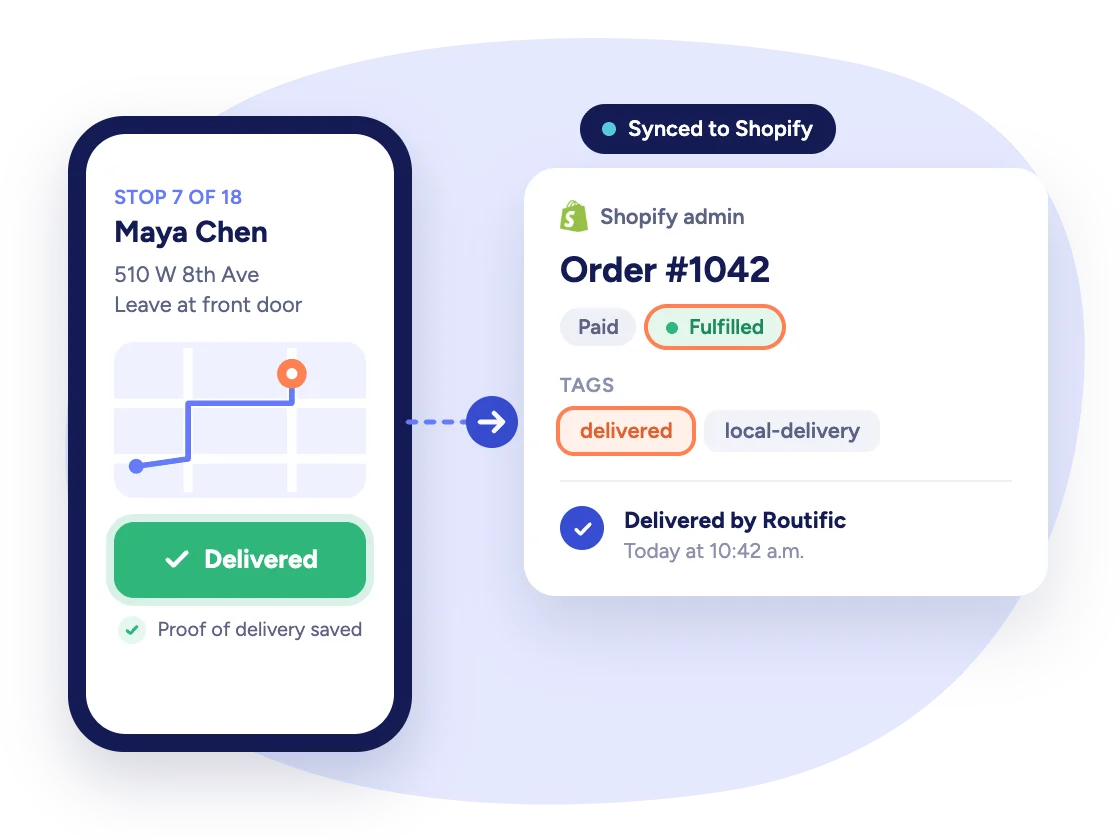
When a driver marks a stop delivered, Routific updates the matching Shopify order within minutes. You choose what gets synced:
- Tag as delivered, so you can see what's actually dropped off
- Mark as fulfilled, so your existing Shopify flows kick in the moment an order arrives
- Or leave both off and keep Routific as your single source of truth
Getting Routific connected to our Shopify store was seamless, and the team was there whenever we had questions. Now our orders flow straight into route planning, and our drivers get where they need to be, on time.

